
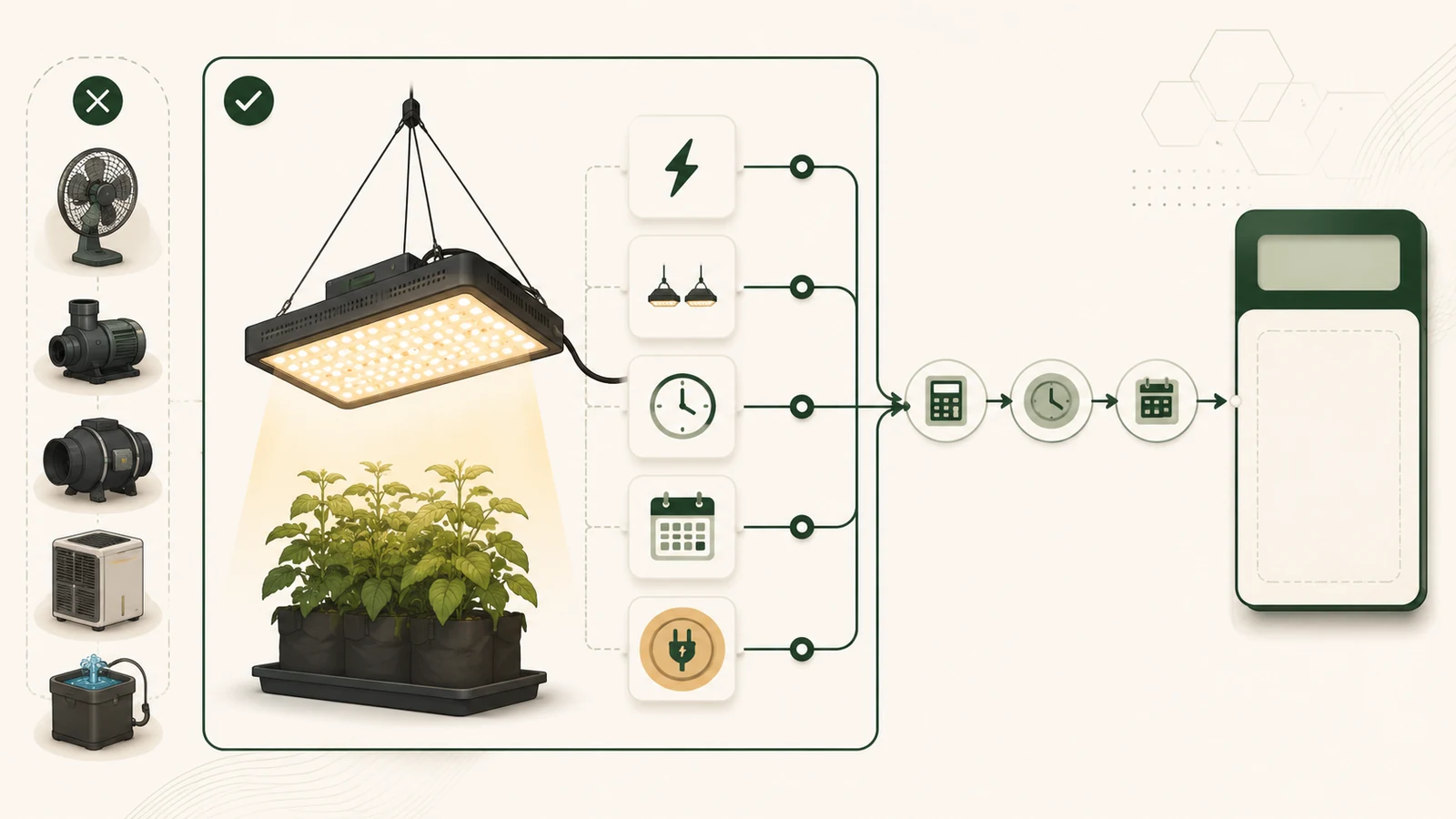
Evidence status: This calculator applies a source-based electricity formula to values you enter. Its Python and JavaScript implementations passed frozen local arithmetic and input-validation fixtures. Root & Photon did not measure a grow light, verify a utility bill, fetch a current tariff, test a product, or validate the finished tool inside WordPress for this article.
Quick answer
Enter the light’s electrical input power, quantity, daily operating time, estimate period, and the electricity rate that applies to your scenario. The calculator converts watts and hours into kilowatt-hours, then multiplies the period energy by the rate you provide.
The result is a light-only simple energy-charge estimate. It is not a utility-bill quote. It does not automatically include fans, pumps, heating, cooling, humidification, taxes, fixed customer charges, demand charges, time-of-use allocation, tier rules, or any product purchase cost.
Calculator workflow summary
| Decision point | Finding |
|---|---|
| Power | Use electrical input watts for the exact operating mode, or label the value as a scenario assumption. |
| Schedule | Enter active and optional standby hours separately; together they cannot exceed 24 hours per day. |
| Rate | Enter a current plan rate or an explicit scenario rate. The tool has no silent national or state default. |
| Result | Read the output as arithmetic for the entered load, period, and simple energy rate—not a complete bill or savings forecast. |
| Stop condition | Use a separate tariff analysis when tiers, multiple time periods, demand charges, credits, or other plan rules materially affect the decision. |
Key facts
| Item | Evidence-based finding |
|---|---|
| Watts | Power at a moment; watts do not state energy over a day or month. |
| Kilowatt-hours | Energy over time; one kilowatt-hour is one kilowatt used for one hour. |
| Tariff | A user-entered USD-per-kWh value. Public averages are context, not a universal account rate. |
| Standby | An optional separate input. Entering zero excludes standby from the estimate; it does not prove the equipment draws none. |
| Scope | Only the light load entered. Other equipment and non-energy bill components remain outside the calculation. |
| Evidence | Source-based method plus local implementation fixtures; no product, bill, grow, or meter test. |
Takeaway: The formula is simple, but a useful estimate depends on explicit wattage, time, quantity, period, rate, and exclusions.
Grow-light electricity cost calculator
Calculated estimate
- Active energy per day
- —
- Standby energy per day
- —
- Total energy per day
- —
- Energy for selected period
- —
- Estimated period energy charge
- —
- 30-day normalized energy charge
- —
- 365-day normalized energy charge
- —
Important limitation: These values are arithmetic outputs for the entries above. They are not a bill quote, current tariff claim, savings forecast, or complete indoor-growing cost.
Important limitation: JavaScript is required for the interactive calculator. The formulas and worked cases below remain available without it.
Inputs, units, and ranges
| Input | Unit | Allowed range | Default | Interpretation |
|---|---|---|---|---|
| Operating input power | W per light | 0.1–10,000 | None | Required exact-mode or scenario input. |
| Quantity | count | 1–100 integer | 1 | Identical lights using the same power and schedule. |
| Active time | hours/day | 0–24 | None | Time at the entered operating power. |
| Standby power | W per light | 0–1,000 | 0 | Optional separate energized-off-mode input. |
| Standby time | hours/day | 0–24 | 0 | Mutually exclusive with active time in version 1. |
| Period | days | 1–3,660 integer | 30 | Exact estimate horizon. |
| Rate | USD/kWh | 0–10 | None | User-entered plan or scenario energy rate. |
Takeaway: A valid number can still be the wrong input. Record where the wattage, schedule, and rate came from before using the estimate in a buying decision.
Formulas
Active kWh/day = operating watts × quantity × active hours/day ÷ 1,000
Standby kWh/day = standby watts × quantity × standby hours/day ÷ 1,000
Period kWh = (active kWh/day + standby kWh/day) × days
Period energy charge = period kWh × entered USD/kWh rate
The model keeps unrounded decimal values through the calculation. It displays energy to three decimal places and currency to two decimal places using half-up rounding. Display precision is not a claim about meter, wattage, tariff, or bill accuracy.
Worked example
For one 200-watt light operating 12 hours/day for 30 days at a scenario rate of $0.18/kWh:
200 W ÷ 1,000 × 12 h = 2.4 kWh/day
2.4 kWh/day × 30 days = 72 kWh
72 kWh × $0.18/kWh = $12.96
This example does not state that any product consumes exactly 200 watts or that $0.18/kWh is the reader’s current rate.
Validation cases
| Case | Inputs | Expected result | Status |
|---|---|---|---|
| 200 W baseline | 1 × 200 W; 12 h/day; 30 days; $0.18/kWh | 72.000 kWh; $12.96 | Python/JavaScript parity pass |
| 320 W rounding | 1 × 320 W; 16 h/day; 30 days; $0.24/kWh | 153.600 kWh; $36.864 exact; $36.86 display | Parity and rounding pass |
| Quantity | 2 × 100 W; 10 h/day; 30 days; $0.20/kWh | 60.000 kWh; $12.00 | Parity pass |
| Standby | 2 × 150 W for 12 h plus 2 W for 12 h; 31 days; $0.21/kWh | 113.088 kWh; $23.75 display | Parity pass |
| Invalid hours | 16 active + 10 standby h/day | No cost output; controlled error | Validation pass |
| Missing rate | Valid load/schedule; no rate | No cost output; controlled error | Validation pass |
Takeaway: The fixtures show that the two code implementations follow the frozen arithmetic contract. They do not validate a real fixture, utility plan, browser-theme combination, or household bill.
Interpret the results
Use the selected-period result first
The period result is the closest match to the inputs because it uses the exact number of days entered. The 30-day and 365-day figures normalize the same daily pattern. Treat them as projections only when the wattage, quantity, daily schedule, standby pattern, and rate are reasonable for those horizons.
Know when one rate is not enough
A single USD/kWh field is appropriate for a simple scenario or a rate that already represents the intended period. It does not model separate peak and off-peak periods, tiers, demand charges, fixed account charges, taxes, credits, minimum bills, or plan-specific riders. When those features materially affect the decision, calculate each applicable segment separately or use the utility’s own bill/rate tools.
Keep other loads separate
The calculator covers only the lights represented by the entered active and standby power. Fans, pumps, controllers with separate loads, heaters, air conditioners, humidifiers, dehumidifiers, and other equipment need their own calculations. Adding them without documented power and schedule inputs would create false completeness.
Limitations
- No tariff lookup, location detection, utility integration, account data, or current-rate default.
- No exact product database, wattage inference, dimming curve, duty-cycle model, or power-factor analysis.
- No time-of-use allocation, tier progression, demand charge, tax, credit, fixed-charge, or bill-minimum engine.
- No crop, yield, harvest, efficiency, savings, ROI, payback, or product-fit output.
- No electrical installation, circuit sizing, fire, emergency, or certification guidance.
- No claim that the final WordPress theme, plugins, cache, consent layer, or browser combination has passed technical QA.
What we could not verify
Root & Photon did not verify the operating or standby wattage of any grow light, controller, timer, smart plug, or complete grow setup. We did not inspect a reader’s bill or enrolled tariff. We did not validate current utility data, time-of-use windows, tiers, taxes, credits, demand charges, fixed charges, or account-specific rules.
The local test suite verifies the frozen model against constructed fixtures. It does not establish measurement accuracy, product performance, tariff accuracy, final-CMS accessibility, browser compatibility, user comprehension, or decision outcomes.
Methodology
This page uses `E2_sourced` public documentation from the U.S. Energy Information Administration, U.S. Department of Energy, NIST, OpenEI, and W3C WAI. Sources were checked on July 26, 2026. We separated unit definitions, tariff context, standby-measurement guidance, accessibility guidance, editorial formulas, application ranges, display policy, and constructed validation fixtures.
The package includes a Decimal-based Python reference, a JavaScript model, shared JSON fixtures, invalid-input cases, cross-language parity tests, static HTML, progressive-enhancement JavaScript, CSS, and a conditional WordPress asset loader. Tests were executed locally against the package bytes. No live WordPress object, technical-QA observation, production snapshot, public page, product test, meter reading, bill verification, grow trial, specialist review, or commercial action occurred.
Sources
- U.S. Energy Information Administration — Measuring electricity
- U.S. Energy Information Administration — Prices and factors affecting prices
- U.S. Energy Information Administration — Electricity Monthly Update: End use
- U.S. Department of Energy — Measuring standby power
- OpenEI — Energy information and data services
- NIST — SI Units
- NIST Special Publication 330 — Section 4
- W3C WAI — Labeling controls
- W3C WAI — Validating input
- W3C WAI — User notifications